Professional Numerologist
Visual Tour: Editing Reports
|
If you need to, you can edit the individual reports and charts that are displayed on the screen (make sure that Read Only in the Edit menu is unchecked). If you do not want to edit reports, then make sure Read Only has a check mark next to it to prevent accidental changes when viewing the reports. Each time you click Read Only it toggles between Read Only on or off. When editing reports, you can copy and paste text from any Windows application or Insert a File, and then format the text using Styles from either the Toolbar or Format menu. You can even Find and Replace text to make it easier when making changes. In addition, you can Insert Page Breaks to maintain the same format style that is used when the reports are printed, and can make sure that headings and subheadings print with at least the first two lines of the next paragraph by using Keep With Next from the Format menu.
|
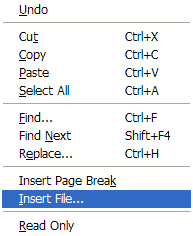 Edit menu
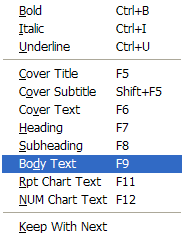 Format menu
|